How to changes “About This Mac” images and text on Leopard.
Apple Images :
1. Go To Folder /System/Library/CoreServices/loginwindow.app/Contents/Resources/
2. Find and Backup MacOSX.tif
3. Replace MacOSX.tif with your modified MacOSX.tif
4. Logout your Mac and Login to see the changes.
5. Here is..
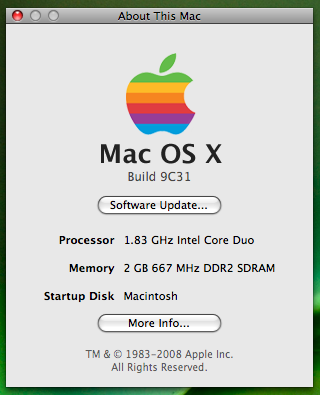
My Modified MacOSX.tif is here
Text
My friend, Dian has changed his IATKOS text by modify SystemVersion.plist
1. Go to file /System/Library/CoreServices/SystemVersion.plist
2. Modify String and Key
3. Save and then Relogin your Mac
Don’t forget for backup your original file..


 Consulting, Engineering, Family
Leave a reply to scooterboyz Cancel reply